
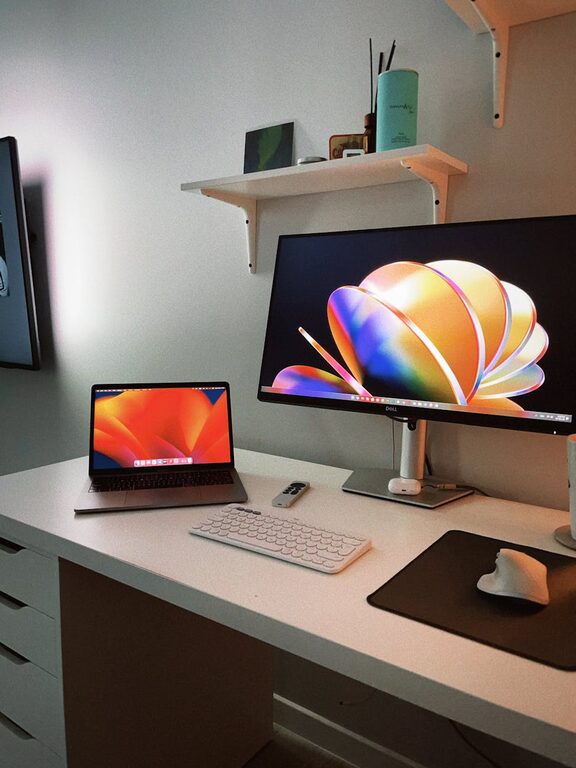
In today’s world, much of our lives exist online or on digital devices. From emails to social media, photos, apps, and files, it’s easy for our digital spaces to become overwhelming and cluttered. A messy digital environment can cause stress, reduce productivity, and make it harder to find what you need when you need it.
The good news is that decluttering your digital life is achievable with some simple steps. By organizing your digital files, managing your apps and accounts, and creating good habits, you can enjoy a calmer, more efficient digital experience.
Why Declutter Your Digital Life?
Before diving into the how, it’s helpful to understand why digital decluttering matters:
– Improved focus: Less digital clutter means fewer distractions and more mental clarity.
– Better organization: Easier to find important files, emails, or contacts.
– Saves storage: Removing unnecessary files and apps frees up valuable space.
– Enhanced security: Managing accounts and passwords properly reduces risks.
– Peace of mind: A tidy digital space reduces anxiety and stress.
Step 1: Clean Up Your Email Inbox
Email tends to be one of the biggest contributors to digital clutter. Follow these tips to regain control:
– Unsubscribe from unnecessary newsletters: Use tools or manually unsubscribe from lists you no longer read.
– Create folders and labels: Organize emails by category, project, or priority.
– Delete or archive old emails: Keep only those you might need for reference.
– Use filters: Automate sorting incoming mail to folders or mark as important.
Step 2: Organize Your Files and Folders
Random files scattered across your computer or cloud storage make it hard to find what you need.
– Create a simple folder hierarchy: For example, separate folders for work, personal, finances, photos, etc.
– Name files clearly: Use descriptive names and dates if helpful.
– Delete duplicates and outdated files: Use software tools to find duplicates or do it manually.
– Back up important data: Keep an external backup or use reliable cloud services.
Step 3: Manage Your Apps and Software
Apps can pile up and slow down your device.
– Review installed apps: Remove those you haven’t used in months.
– Update necessary apps: Keep apps current to ensure security and good performance.
– Limit app notifications: Turn off notifications for apps that aren’t urgent to reduce distractions.
– Organize apps on your devices: Group similar apps into folders or rearrange them for easier access.
Step 4: Streamline Your Online Accounts and Passwords
Multiple accounts mean multiple passwords and potential security vulnerabilities.
– List your active accounts: Identify which accounts you actively use.
– Close unused accounts: Delete accounts you no longer need.
– Use a password manager: Safely store complex passwords in one place.
– Enable two-factor authentication: Add an extra layer of security to important accounts.
Step 5: Declutter Social Media
Social media feeds can quickly become cluttered with information overload.
– Unfollow or mute accounts: Reduce noise by choosing only relevant and positive content.
– Limit time spent on platforms: Use built-in tools or apps to set daily limits.
– Organize your contacts: Use lists or groups to separate close friends from acquaintances.
– Review privacy settings: Keep your personal information secure.
Step 6: Establish Healthy Digital Habits
A one-time clean won’t last without new habits.
– Schedule regular digital decluttering sessions: Monthly or quarterly reviews prevent build-up.
– Practice mindful usage: Stay aware of when and why you use digital devices.
– Prioritize tasks: Use to-do lists or productivity apps to focus on meaningful work.
– Take digital breaks: Step away from screens periodically to refresh your mind.
—
Decluttering your digital life can make a significant difference in how you feel and function online. By following these straightforward steps, you can reclaim your time, reduce stress, and create a more enjoyable and productive digital environment. Start small, be consistent, and enjoy the benefits of a well-organized digital life.
